
From Chat to Agent Immersion · Day 2 · Saturday, December 12

Queues and publishing. Work in the queue and a channel with a gate.

You send the work to a queue, step away, and build your niche’s channel, which checks every number and only publishes what you approve.

2 sessions, 10 blocks, each with an exercise and a “done when” criterion.

Courses, projects, and videos: are all in the From Chat to Agent section →

01 · Morning

Queues: ten tasks and go to sleep

Based on: course 3, Queues. In chat, the agent does one thing at a time and only while the window is open. A queue stores the request, runs one item at a time, resumes after a crash, and separates what worked from what failed.

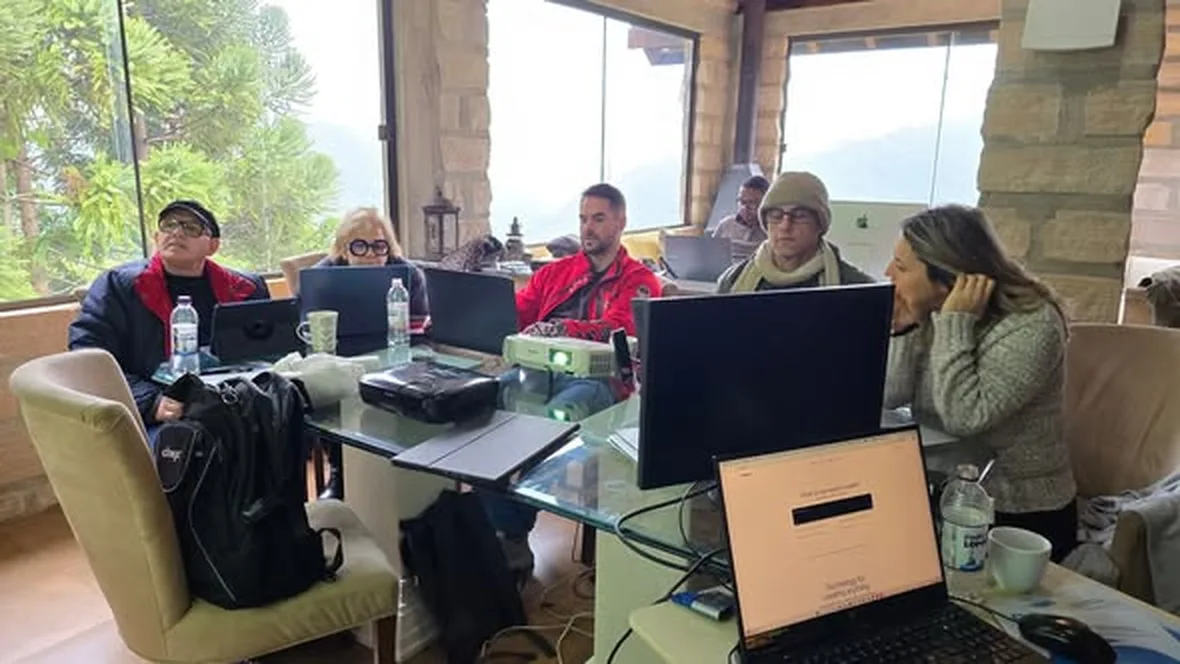
Participants around the glass table, with notebooks and monitors, at a previous immersion.

The morning blocks, in order

Block 1 · Morning

From chat to queue: what goes in and what stays with you

Why it matters: A queue without triage just makes mistakes happen faster. The question about consequences outside the system determines where you need to be present: that’s where you manage instead of doing the work yourself.

  1. The four guarantees: save before running, one at a time, resume after a crash, separate done from failed.
  2. Triage with three questions: Does the input fit on one line? Can you check the result? Does it have an external consequence (publishing, sending, spending)?
  3. Three destinations: queue on its own, queue with a gate, stays with you.
  4. Ask the agent in the day 1 folder to review the table without changing the file.

Exercise: Fill in fila-no-papel.md with ten repetitive tasks from your work, starting from your list to sleep on.

You’re ready when: all 10 rows are filled in and at least two have a gate.
Lessons 1 and 2 · Why a queue and what goes in it →
Block 2 · Morning

The homemade queue in 30 lines

Why it matters: You can see the four guarantees working in folders you open with the mouse. After that, the bot is no longer a black box.

  1. git clone from jornada-agentes and two tasks in fila/entrada/.
  2. Run ./ferramentas/fila-caseira.sh fila (Claude) or with codex, through your subscription.
  3. View the folders entrada/, rodando/, feito/ and falhou/: the task only leaves rodando/ when it finishes.

Exercise: Run the queue, interrupt it with Ctrl+C in the middle of a task, then run it again.

You’re ready when: the tasks are in fila/feito with the response, and you saw the queue pick up where it left off.

Lesson 3 · The homemade queue →
Block 3 · Morning

Install inemaccbot until /ping responds

Why it matters: From here on, the request comes from your phone and your computer does the work. The allowlist and the chmod 600 are the minimum security measures for an agent that executes things from a message.

  1. A new bot from @BotFather, just for the queue (don’t reuse Jarvis’s token: two processes using the same token compete for messages).
  2. git clone for inemaccbot and the sibling repos, ./scripts/instalar.sh --checar, npm ci, npm test and npm run build.
  3. .env with the token and ALLOWED_CHAT_IDS=0, chmod 600 .env, ./start.sh: the first /ping registers you as the owner and locks the door.
  4. Then run it as a user service so it survives logout and starts at boot.

Exercise: Install, pair, and test /ajuda and /fila.

You’re ready when: /ping replies in your Telegram and /fila shows the empty queues.

Lesson 4 · Install inemaccbot →
Block 4 · Morning

Send tasks and step away

Why it matters: This is where you stop waiting in front of the screen. Requests come in all at once, the bot distributes them across the queues, and notifies you when each one is done.

  1. Request format: <skill>: <entrada> [| campo]. /skills lists what your bot has; /ajuda <skill> shows the fields.
  2. Fields that apply to all of them: | modelo=haiku, | esforco=high, | motor=codex.
  3. Monitor and intervene: /fila, /jobs, /status j13, /furar and /cancelar.
  4. Before restarting the bot, make sure the queue is empty: restarting while a task is running kills the job.

Exercise: Send 3 to 5 tasks from the queue you wrote down, starting with the ones without a gate, and monitor them through /fila.

You’re ready when: the /fila showed the batch distributed, and each task returned a result or the reason it failed.

Lesson 5 · Send tasks →
Block 5 · Morning

Gates: after anything that needs your eyes, before anything expensive or public

Why it matters: Approving, correcting, or rejecting is when you manage instead of doing the work. A gate at the start has nothing to show; at the end, it comes too late.

  1. A workflow is a task with stages, each with its own status. The gate is the stage that finishes and waits for you.
  2. Rehearse before spending: /promoavatar <assunto> | sombra shows the stages and doesn’t queue anything.
  3. Make a decision at the gate: /pronto approves, /refazer resumes what failed, /cancelar is the last resort, /limpar only deletes with confirmar.
  4. | sem-portao only in workflows you already trust, never before publishing something you haven’t read.

Exercise: Run a workflow with a gate, read what arrived in the chat, correct it, and only then approve it.

You’re ready when: you rejected or corrected at least one text before approving it.

Lesson 6 · Gates →

02 · Afternoon

Publishing: your niche channel on autopilot

Starting point: course 4, Social Media on Autopilot. Without a queue and a gate, automating social media means posting the wrong thing faster. The afternoon rule: handle cheap things before expensive ones; plan, write, and review before using an avatar and rendering.

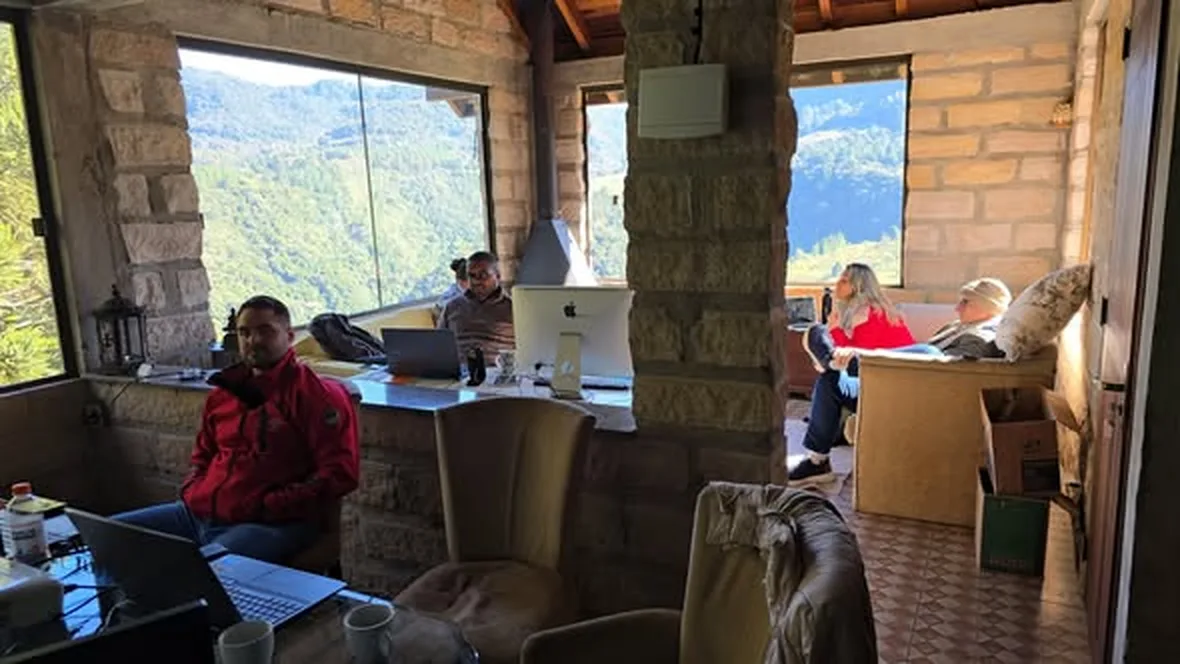
The workspace at Refúgio INEMA, with large windows overlooking the mountains, during a previous immersion.

The afternoon blocks, in order

Block 6 · Afternoon

The channel pipeline and the 7-step reel

Why it matters: Reviewing the whole pipeline before automating shows where the risks lie (a number without a source, the wrong video going live) and where the costs lie (avatar and rendering). A plan with a score filters out weak ideas while they’re still cheap.

  1. The six stations of a radar: collection, source-backed material, script, review, avatar and video, and publication with a Telegram notification.
  2. The plan before the speech: audience, desire, hook with a number or fact, source, and potential score from 0 to 10. Below 7, change the angle.
  3. The seven parts: hook, fear or proof, desire, ease, discovery, benefit, and comment. From 550 to 700 characters, with numbers spelled out.
  4. The request to the agent to write the speech based on the plano.md, without making up numbers.

Exercise: Fill in the plano.md and write the reel for your niche in 7 parts. Read it aloud and time yourself.

You’re ready when: you can read it in under 45 seconds, the plan scores 7 or higher, and the first sentence includes the trigger with a number or fact.

Lessons 1 and 2 · Pipeline and reel in 7 steps →
Block 7 · Afternoon

The 5 sources in your niche and the rules that must never be broken

Why it matters: An automated channel is only as good as the sources it follows and the rules it obeys. The rules protect your audience and your reputation.

  1. canais.md: 5 established sources, with the selection criteria in one line. Emerging names don’t qualify; new additions require your OK.
  2. regras.md: what counts as a fact, the niche’s required disclaimer, what you never publish, and the rules that came from rejections.
  3. The niche question: what could harm your audience if it’s said incorrectly? The answer becomes the disclaimer and the “never publish” list.

Exercise: Choose the 5 sources and write the rules for your niche.

You’re ready when: you have canais.md and regras.md, and the selection criteria fit in one line.

Lesson 3 · Niche and rules →
Block 8 · Afternoon

Source-backed material: every number with the verbatim excerpt

Why it matters: Verification does not judge whether a number is true in the world; it guarantees that someone said exactly that in the cited video. That’s the difference between a channel with sources and one that makes things up.

  1. Transcribe a video from one of the references on your computer.
  2. base.md with one line per number: who said it, video, date, and a verbatim excerpt of 6 to 30 words, without editing.
  3. Run the lesson’s verifier: python3 confere.py base.md transcript.txt prints OK or OUT for each excerpt.

Exercise: Build your database and run it through the verifier.

You’re ready when: each line has the verbatim excerpt in quotation marks and the confere.py prints only OK.

Lesson 4 · Sourced knowledge base →
Block 9 · Afternoon

60-second script with the source on screen

Why it matters: The script is where the agent is most tempted to fill in numbers from elsewhere. Tying the request to the database and checking it against the gate checklist is what makes automation possible without losing viewers’ trust.

  1. Structure: opening with the strongest number, facts with who said them and the date on screen, the niche disclaimer, a comment question, and a single destination.
  2. Request to the agent using only the base.md and regras.md. If there isn’t enough material, the right answer is NO TOPIC.
  3. The gate checklist: every number in the database, no numerals in the spoken script, a source in every scene, and the disclaimer included. If it fails twice, no video goes out today.

Exercise: Request the script, check it against the gate checklist, and send back anything that fails.

You’re ready when: every number in the script is in the base.md and every item on the gate checklist is checked.

Lesson 5 · Reviewed script →
Block 10 · Afternoon

The schedule with a gate, and the evening batch

Why it matters: The schedule turns the pipeline into a channel that runs without you having to remember. During the first week, nothing goes live without your approval, and every rejection becomes a rule.

  1. Choose the frequency and write the systemd timer (or cron job), with time and memory limits.
  2. A slow day doesn’t become a video: write the “no topic” message in advance. Every run ends with a Telegram notification; silence is never an answer.
  3. Videos for an audience (promoavatar and promoavatar3) as a demonstration, rehearsed with | sombra.
  4. Before bed: send your bot the evening batch with the queue tasks written down.

Exercise: Write your channel’s schedule and send the evening batch.

You’re ready when: the list-timers (or the crontab) shows the next run, you know what happens on a day without a topic, and the /fila shows the distributed batch.

Lesson 7 · Schedule and gate →

03 · What the agent won’t do without you

The day’s human checkpoints.

  • Actions with real-world consequences need a checkpoint: publishing, sending something to a client, or spending credits. The agent prepares and stops.
  • Only chats on the allowlist are handled. Pair your bot before leaving it running.
  • The token and the .env with chmod 600, never in Git, a screenshot, or a message.
  • First week on the schedule: nothing goes live without approval. The gate is removed only after 3 consecutive days without a rejection.
  • A script rejected twice doesn’t become a video; a slow day becomes “no topic.”

04 · Where the group tends to get stuck

The mistakes the lessons have already seen.

  • The bot responds, but every job fails: the claude isn’t logged in. Check with claude auth status.
  • Service is active and /ping doesn’t respond: your ID isn’t on the allowlist.
  • Restarting the bot while the batch is running: the jobs fail with code 143.
  • /refazer doesn’t work in a phase paused at the gate: it hasn’t failed; it’s waiting for you.
  • “Improved,” copied, or too-short excerpt: the confere.py marks it OUT.

Get started now

Day 2 of 3, in person, with the group.

You’ll work through each block above on your own laptop, with close support whenever you get stuck.

In-person immersion · about 10 spots

Save your spot

R$ 2,847 per person. December 11–13, at Refúgio INEMA. Reserve by emailing inemavip@gmail.com, which can also provide information about accommodation and how to get there.

I want a spot · send an email →
Day 3 · Sunday, December 13

Customer service, other solutions, and harness

You’ll leave with a customer service agent that replies on its own and reaches out to people at the right time, plus an agent that’s safer, cheaper, and learns from its own mistakes.

View day 3 →
Day 1 · Friday, December 11

From the terminal to your Jarvis

In the morning, the agent starts working in your folder, with rules and a safety net. In the afternoon, you have your own assistant, built by the agent and verified with tests.

← View day 1

Questions before booking? Write to inemavip@gmail.com. The immersion page has the frequently asked questions.