
In-person immersion · December 11–13 · Refúgio INEMA
From chat to agent, in three days. One session at a time, on your laptop.
The program follows the From Chat to Agent training, step by step, but live, with a small group and each person using their own laptop. One block at a time, morning and afternoon: a short explanation, hands-on practice, and an exercise with a “done when” criterion you can check right away.
3 days, 6 sessions, 31 blocks, each with a “done when” criterion.
Courses, projects, and videos: are all in the From Chat to Agent section →
01 · The 3 days
Six sessions, each building on the previous one.
Day 1 puts the agent in your folder and gets your Jarvis ready. Day 2 puts the work in a queue and prepares the channel for your niche. Day 3 starts by checking what the queue did overnight and ends with your harness measured and your 30-day plan in place.
From the terminal to your Jarvis
In the morning, the agent starts working in your folder, with rules and a safety net. In the afternoon, you have your own assistant, built by the agent and verified with tests.
View →Day 2 · Saturday, December 12Queues and publishing
You send the work to a queue, step away, and build your niche’s channel, which checks every number and only publishes what you approve.
View →Day 3 · Sunday, December 13Customer service, other solutions, and harness
You’ll leave with a customer service agent that replies on its own and reaches out to people at the right time, plus an agent that’s safer, cheaper, and learns from its own mistakes.
View →No miracles. Nothing runs on its own unless it’s been set up and checked. Skip the terminal and you’ll get stuck on the rest: that’s why day 1 starts with six commands, and each block ends only when its “done when” criterion is met.
Previous immersions
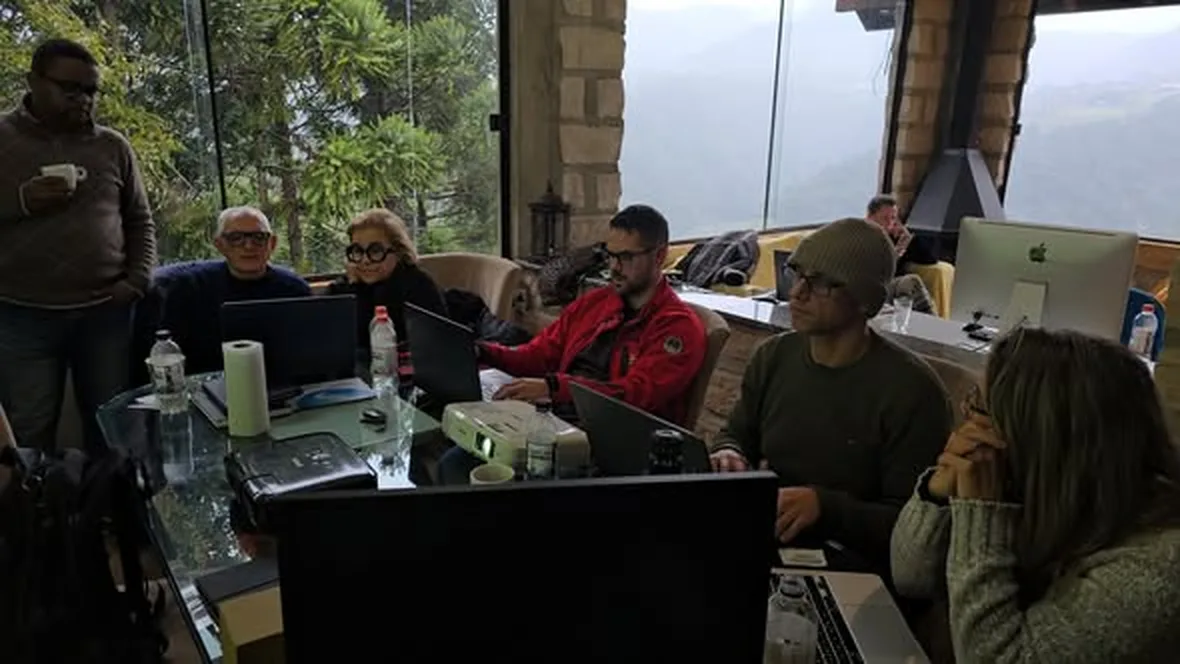
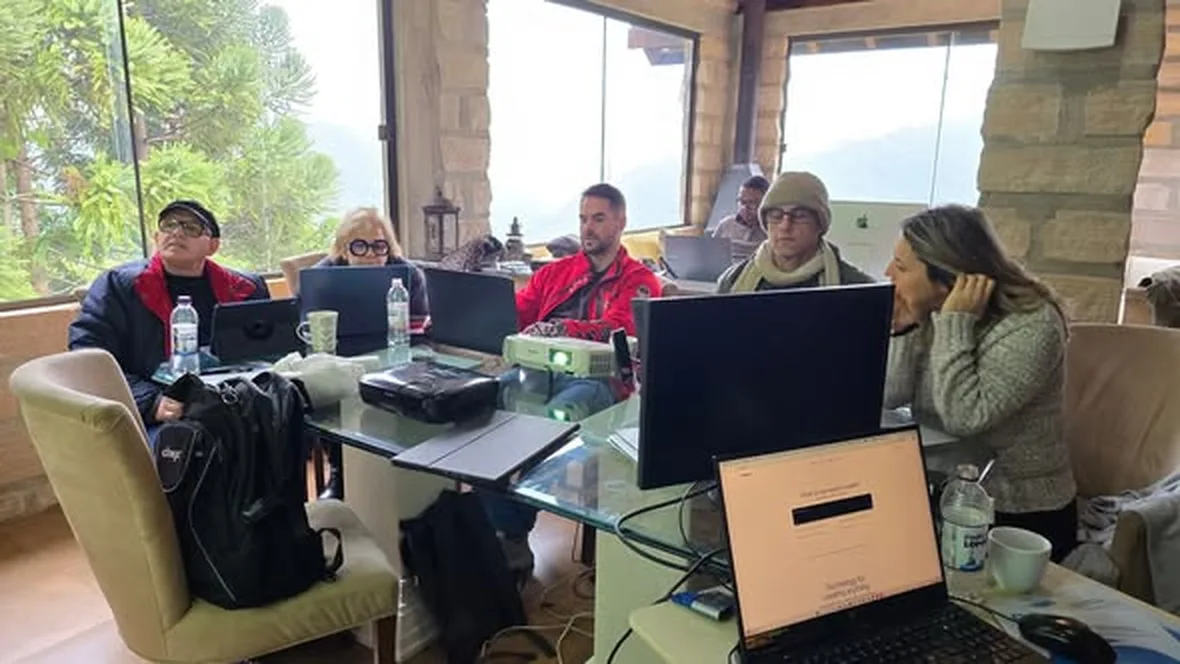
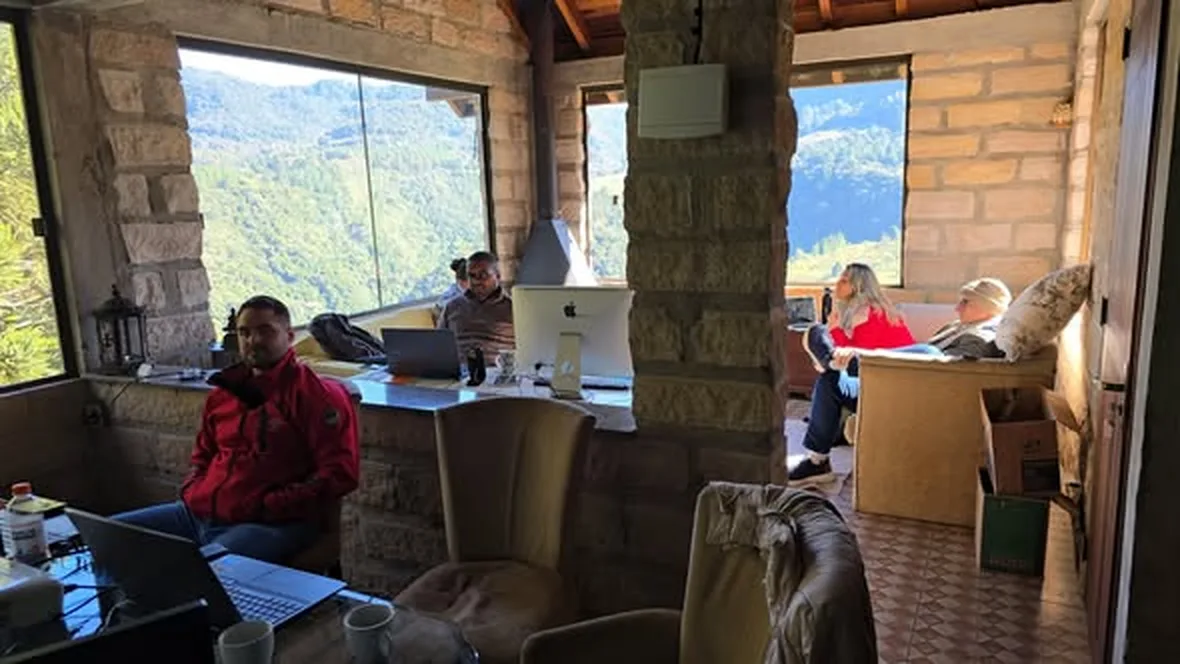
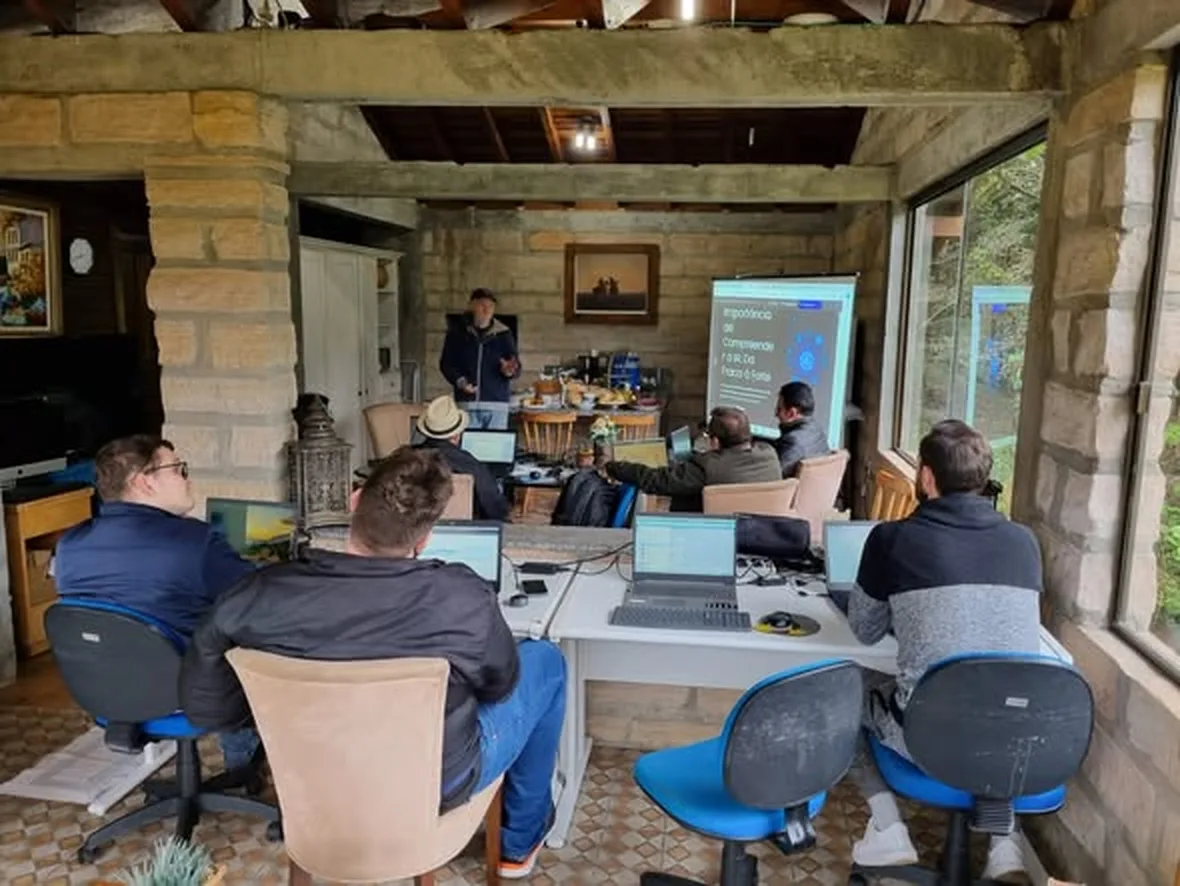
What it’s like in the room.
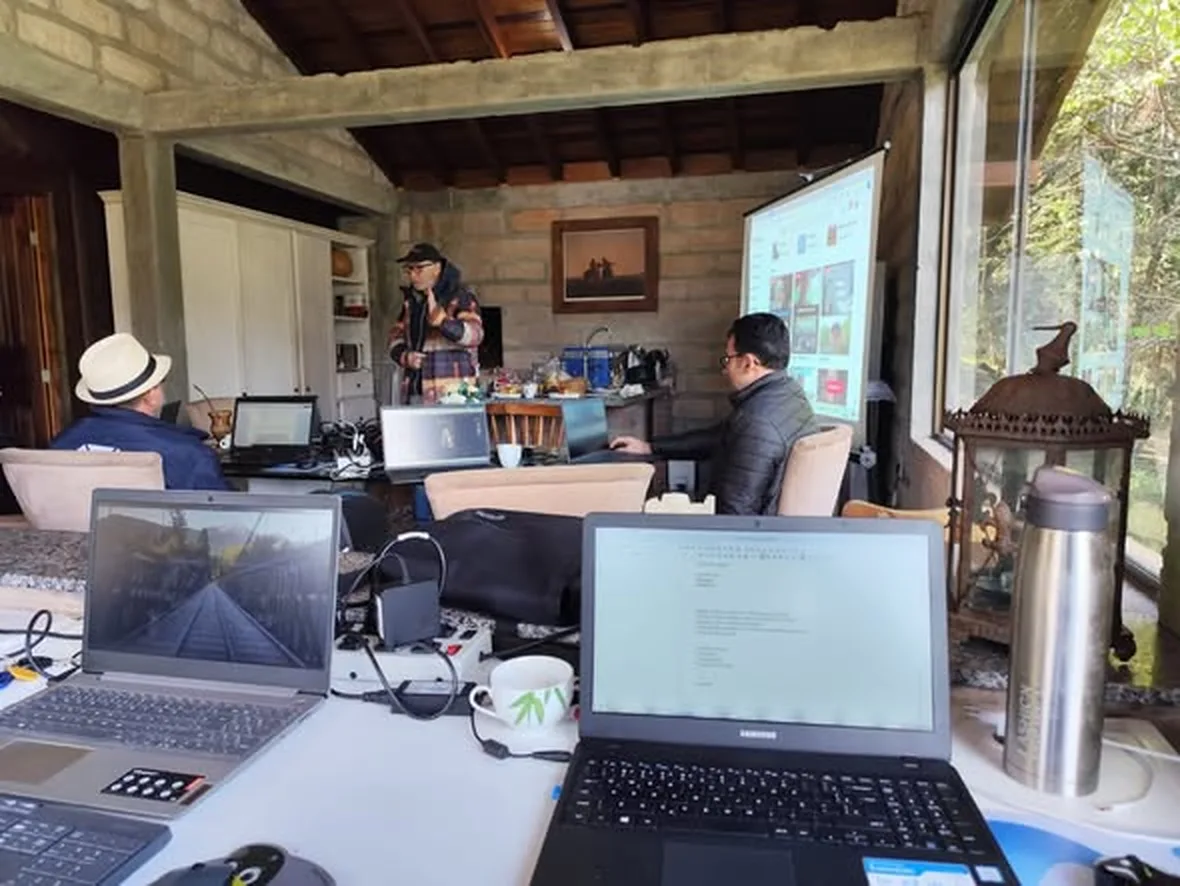
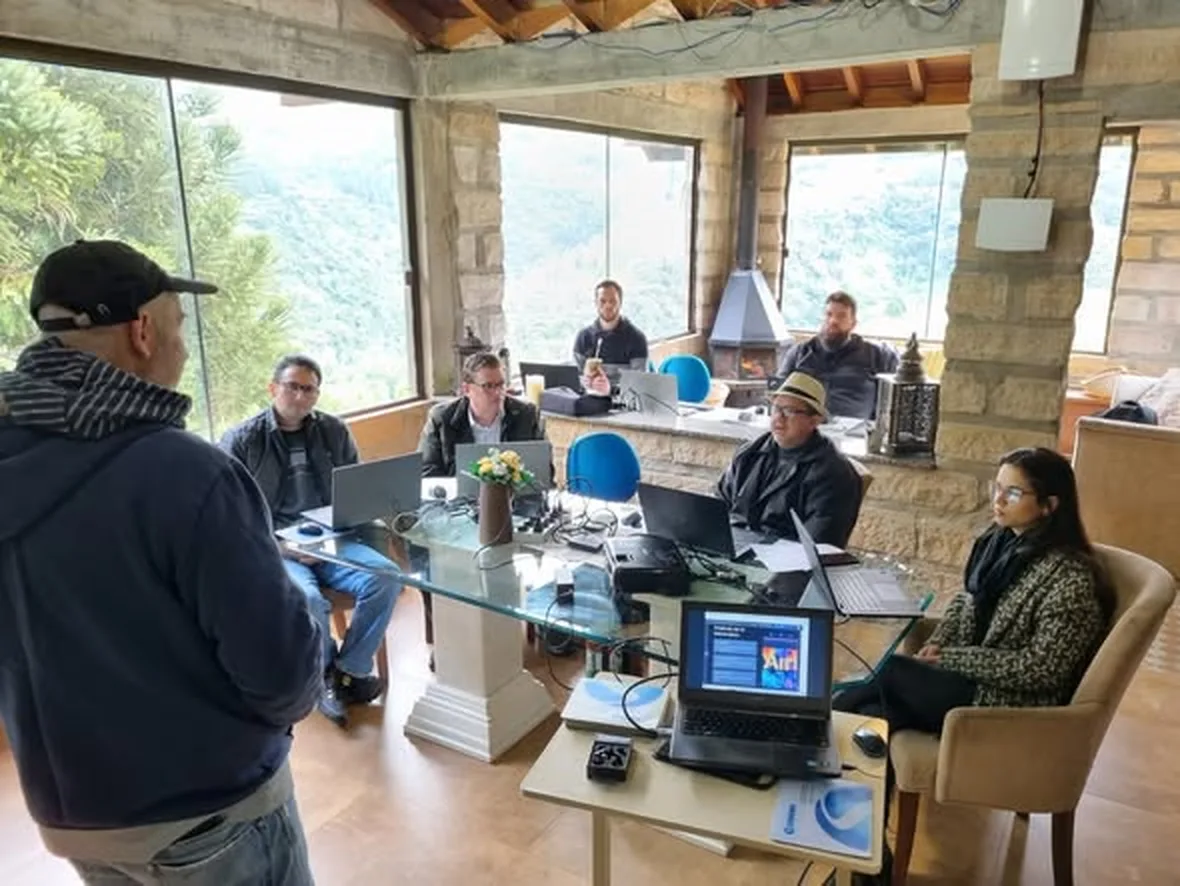
Photos and videos from previous groups at Refúgio INEMA: the same stone-and-glass room, each person at their own laptop, and the explanation on the big screen.
02 · Day 1 · Friday, December 11
From the terminal to your Jarvis
In the morning, the agent starts working in your folder, with rules and a safety net. In the afternoon, you have your own assistant, built by the agent and verified with tests.
Morning · Terminal setup
What the group does
- The terminal starts by telling you where you are
- Install from the official source and sign in with your account
- The folder is the context: README and AGENTS.md
- First the agent reads, then it changes things
- The safety net: keep secrets out of text and use Git
From chat to the terminal
Terminal without fear, an agent installed from the official source, a folder with rules, Git, and keys kept out of text.
Open →Course · quickOSWork Quick
The short path from chat to an agent in your folder, in seven lessons. Great for getting ahead.
Open →VideoOSWork, command by command
The morning’s commands, one by one, on video.
Open →Afternoon · Building Jarvis
What the group does
- The seven parts of a Jarvis
- Design your Jarvis before installing it
- The door: your Telegram bot, with one owner
- Build without programming: you choose, the agent builds, the test confirms
- The hands and the vault: tools with limits
- End of day: the list to sleep on
Your Jarvis
The seven building blocks of an assistant, its identity in four files, and a core built with tests.
Open →Project · openINTELECTO
The personal assistant, the feature grocery list, and the doc/intelecto.md blueprint.
Open →VideoInstall your Jarvis
Installing INTELECTO from scratch, on video.
Open →03 · Day 2 · Saturday, December 12
Queues and publishing
You send the work to a queue, step away, and build your niche’s channel, which checks every number and only publishes what you approve.
Morning · Queues: line up ten tasks and go to sleep
What the group does
- From chat to queue: what goes in and what stays with you
- The homemade queue in 30 lines
- Install inemaccbot until /ping responds
- Send tasks and step away
- Gates: after anything that needs your eyes, before anything expensive or public
Queues: ten tasks and go to sleep
What goes into the queue, a homegrown queue, inemaccbot installed, and gates before the things that matter.
Open →Project · openinemaccbot
The Telegram queue bot: from installation to /ping and the complete architecture.
Open →Project · openAgent journey
The homemade queue in 30 lines and the exercises for the four sequences.
Open →Afternoon · Publishing: automate your niche channel
What the group does
- The channel pipeline and the 7-step reel
- The 5 sources in your niche and the rules that must never be broken
- Source-backed material: every number with the verbatim excerpt
- 60-second script with the source on screen
- The schedule with a gate, and the evening batch
Social media on autopilot
A reel in 7 steps, a sourced knowledge base, a reviewed script, and a gated schedule.
Open →Reel · 7 stepsr7e (reel7etapas)
Hook, fear, desire, ease, discovery, benefit, and comment, with gates.
Open →Promotion · avatarpromoavatar
One video per audience, 12 audiences, with a human gate before the avatar.
Open →04 · Day 3 · Sunday, December 13
Customer service, other solutions, and harness
You’ll leave with a customer service agent that replies on its own and reaches out to people at the right time, plus an agent that’s safer, cheaper, and learns from its own mistakes.
Morning · Customer service and other solutions
What the group does
- The next morning: check the evening batch
- Where a human steps into customer service
- atende-leads on your laptop, with your business data
- Agente Blindado: safeguards that hold even if the model fails
- Choose a station: a website that sells or signal-based prospecting
AI Customer Service
The method: one process, one metric with an owner, and where the human steps in.
Open →Project · openatende-leads
Web dashboards, the business knowledge base, website import, and the request for a live agent.
Open →Kit · securityHardened Agent
Five safeguards against prompt injection, tested with ten attacks.
Open →Afternoon · Harness optimizations and your 30-day plan
What the group does
- Harness X-ray, read-only
- The right effort level and model
- A lesson that becomes a safeguard, and the skill that remembers
- Long-running tasks without losing direction
- Wrap-up: your 30-day plan
caixa-do-agente
Your harness score from 0 to 10 across 6 layers, by reading alone.
Open →Kit · harnessaudite-seu-claude
The invisible inheritance in CLAUDE.md, with fixes for you to approve.
Open →Kit · harnessesforco-certo
The right effort and model, with the policy ready and three agents.
Open →05 · How it works
Strategic and practical, just as it has always been.
Each block starts with the why: what to hand off to an agent, where the human checkpoint is, and how much each choice costs. You leave knowing how to make decisions, not just copy commands.
Everything is done on your laptop, using your Claude or ChatGPT subscription. Whatever works during the immersion will keep working at home because it’s already installed on your machine.
About 10 people. When someone gets stuck, help is there right away, and the whole group learns from each person’s mistakes.
Every exercise has a checkable criterion: a command that responds, a test that passes, a file that exists. No “I think I understand.”
06 · Before and after
What to bring and what you’ll take home.
What to bring and have ready
- Your own laptop, with permission to install programs.
- A Claude (Pro or Max) or ChatGPT (Plus or Pro) subscription. The agent signs in through your account, with no API key.
- Telegram on your phone, to create the bots.
- A GitHub account.
- A list of repetitive tasks from your work and, if you have one, your website address. This is the material that becomes a queue, a support service, and a channel.
- Using Windows? Get in touch beforehand at inemavip@gmail.com: parts of days 2 and 3 use Linux and Mac scripts, and we’ll work out the best approach with you before you arrive.
What works on your machine
- Claude Code or Codex working in your folders, with rules and safeguards.
- Your Jarvis, built by the agent and proven with tests.
- A task queue that runs while you sleep, with a gate before anything costly or public.
- Your niche’s channel: a sourced knowledge base, a reviewed script, and a schedule with approval.
- A support service that responds on its own and brings in a person at the right time.
- A measured, leaner harness, and your 30-day plan with a clear completion criterion.
07 · Videos
For a preview before you arrive.
The Do chat ao agente series shows in minutes what the group does each day.
From chat to agent in 4 steps
Terminal, Jarvis, queues, and social networks in under a minute.
Watch →Short · PT6 commands and your Jarvis
Day 1 in brief: getting comfortable with the terminal and your assistant.
Watch →Short · PTTen tasks, then go to sleep
Day 2 in brief: the queue and the approval gate.
Watch →Video · PTOSWork, command by command
From the first command to the agent’s first task.
Watch →Video · PTInstall your Jarvis
INTELECTO installed from scratch.
Watch →Video · PTatende-leads in video
The service that replies on its own and calls in people at just the right time.
Watch →Get started now
About 10 spots, December 11 to 13.
Read the day-by-day program. If this is what you want to take home, reserve your spot by emailing inemavip@gmail.com.
Save your spot
R$ 2,847 per person. December 11–13, at Refúgio INEMA. Reserve by emailing inemavip@gmail.com, which can also provide information about accommodation and how to get there.
I want a spot · send an email →The online training
The 5 courses and 23 exercises behind the immersion, available in PT, EN, and ES.
View the training →From chat to agent
The four sequences, projects, and videos, so you can study at your own pace.
Open the area →Questions before booking? Write to inemavip@gmail.com. The immersion page has the frequently asked questions.